Business automation for Microsoft Dynamics & ERP teams

Keep Microsoft Dynamics.
Automate the work around it.

We connect your ERP with documents, CRM, email, internal tools and AI through secure API driven workflows, reducing manual handoffs without replacing the systems your team already relies on.

No ERP replacement. No rip and replace project. We automate the gaps between your existing systems.
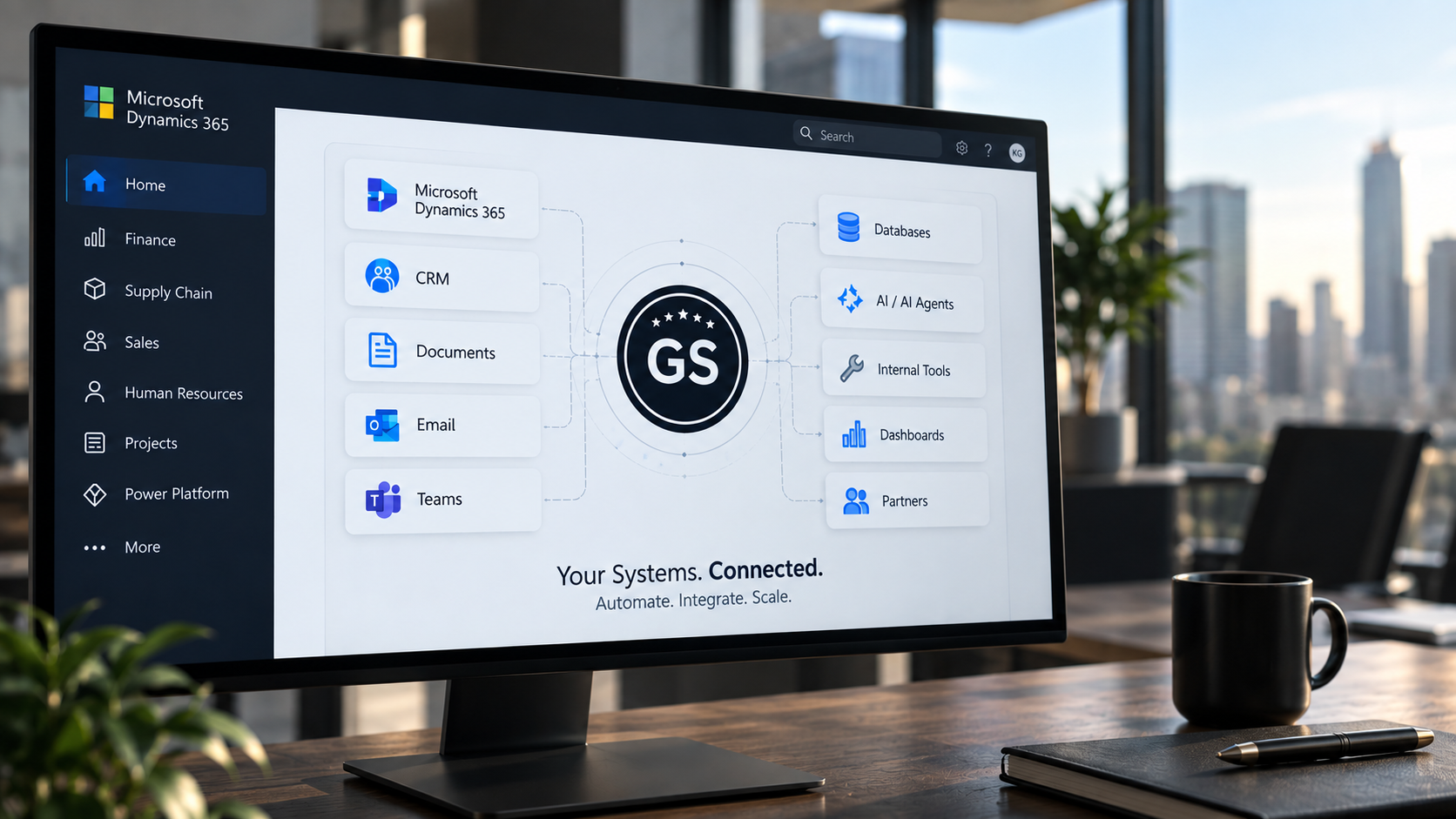
Illustrative concept visual: a Gilic Systems orchestration layer connecting Microsoft Dynamics 365, CRM, documents, email, team collaboration, databases, AI and dashboards
Conceptual automation architecture example: illustrative integration scenario, not a delivered client build.

System architecture

One orchestration layer, every system connected

Microsoft Dynamics or ERP stays at the center. Everything around it, including CRM, documents, email, teams, dashboards, AI, internal tools and databases, connects through a single automation layer.

AUTOMATION & ORCHESTRATION LAYER CRM Email Documents Teams Dashboards AI Internal tools Databases Microsoft Dynamics / ERP

Gilic Systems: orchestration layer

Your ERP may already work. The process around it often doesn't.

The problem is usually not Microsoft Dynamics itself. It's everything a team still does by hand before, after and between systems.

What we automate

Recurring categories of manual work, and what happens once they're connected instead.

ERP ↔ CRM synchronization

Pain
Sales and operations work from different, out of sync data.
Automation
Relevant records move or stay synchronized between ERP and CRM automatically.
Outcome
One accurate picture, no manual reentry.

Document routing & processing

Pain
Documents get uploaded, then manually read, sorted and forwarded.
Automation
Upload → classify → extract → route → approve → archive.
Outcome
Documents reach the right person without a manual handoff.

Approval workflows

Pain
Requests sit in email waiting for the right manager to notice them.
Automation
Requests route to the right approver automatically, with escalation if there's no response.
Outcome
Fewer stalled approvals, clear accountability.

AI assisted intake

Pain
Incoming documents, forms or messages need to be read and sorted by hand.
Automation
Incoming input becomes structured data, classified and routed, with a human reviewing only what's unclear.
Outcome
Faster intake, human judgment kept where it matters.

Follow ups & notifications

Pain
Someone has to remember to chase the next step.
Automation
The right person is reminded automatically when action is needed.
Outcome
Fewer things fall through the cracks.

Operational dashboards

Pain
Status and KPI data live scattered across tools and spreadsheets.
Automation
Workflow data feeds a single, clear operational view.
Outcome
One place to see what's actually happening.

Partner & ecosystem operations

Pain
One person has to remember every partner's offer, audience and category, plus talking points, marketing assets, promotion status, follow ups and event notes.
Automation
Partner intake, AI drafted summaries and talking points, promotion status and follow ups flow into one structured, always current view.
Outcome
Keep the relationship human. Automate the operational layer around it.

See it in action

A short walkthrough of the automation layer described above.

What automation around Microsoft Dynamics can look like

These are example automation patterns based on how we build orchestration layers around ERP systems generally, not a description of Dynamics projects already delivered.

Example automation patterns
Pattern A
Dynamics record created
Workflow triggers
Data gets enriched
CRM or operational task created
Responsible team notified
Pattern B
Customer document arrives
AI extracts the relevant information
Data gets validated
Structured data reaches the Dynamics / ERP process
Human review only where needed
Pattern C
Approval required
Responsible manager notified
Reminder if there's no response
Escalation if needed
Status written back to the system
Pattern D
Operational incident submitted via form
Severity classified
Responsible manager notified
Dashboard updated
Audit trail created

How it works

Step 1

Understand the manual process

We map where people are copying, checking, routing or following up by hand.

Step 2

Connect existing systems

We use APIs, webhooks and secure backend services to connect the tools already in place.

Step 3

Automate with human control

Routine work happens automatically. Important or unclear cases stay with the responsible person.

Existing software
Automation & orchestration layer
Rules / AI / routing / approvals
Existing software + team

Special offer for Microsoft Dynamics companies

Find one manual process worth automating.

Free 30 minute ERP Automation Review

  • Identify one repetitive process worth automating
  • Identify the systems involved
  • Identify where information is transferred by hand
  • Identify a realistic API or workflow integration point
  • Identify where human approval should stay in place

No obligation. If it's not a fit, you'll know that in 30 minutes.

What you receive afterward

A short Automation Opportunity Map:

Current process
→ Manual bottleneck
→ Automation opportunity
→ Systems involved
→ Suggested next step

For a small number of companies, we can also scope a proof of concept workflow around one clearly defined process.

Easy to explain. Easy to introduce.

If you know a Microsoft Dynamics or ERP company where teams are still moving information manually between systems, that's usually where we start.

Who we help
ERP / Microsoft Dynamics companies
What we solve
The manual operational work that happens between systems
How
APIs, workflow automation, and AI where it genuinely helps
What we don't do
Replace or reimplement the ERP
"A company has working business software but still relies on too many manual handoffs."

Where this stands today

We are not a Microsoft Dynamics implementation partner, and we are not Microsoft certified. We want that clear before anything else on this page.

Our production experience to date is building orchestration layers around SAP adjacent systems in industrial operations: document routing, approvals, dashboards and incident handling for companies that had no intention of replacing their core system. Microsoft Dynamics and Business Central would be a new specific integration for us.

What carries over is the architecture, not a product certification: connect through APIs and webhooks, automate the manual handoffs, leave the system of record untouched. That approach doesn't change with the ERP underneath it.

Cross industry orchestration examples

Anonymized at the client's request. Qualitative only, no fabricated metrics. None of these involve Microsoft Dynamics.

Industrial operations / mining
Problem
Operational documents and information had to reach the correct departments and managers.
Solution
An automation layer for document intake, routing, operational workflows and KPI visibility.
Result
Less manual document handling and clearer operational routing.
Operations workflow
Problem
Operational incidents and requests needed to reach the responsible manager quickly.
Solution
Structured intake, routing logic, notifications and dashboard visibility.
Result
More consistent process handling and fewer manual handoffs.
Recruiting / business operations
Problem
Incoming information needed classification, routing and structured handoff.
Solution
AI assisted intake, structured output, routing and human review.
Result
Reduced repetitive processing while keeping human decision making in control.

Why us

Process firstWe start by mapping the manual work, not by selling a platform.
Existing systems stay in placeNothing gets replaced or migrated.
API drivenIntegrations built on REST APIs and webhooks, not screen scraping.
Human in the loop by designUnclear or important cases stay with a person.
AI only where usefulUsed for classification and extraction, not as a label.
Custom backend capabilityn8n for orchestration, Python / FastAPI where custom logic is needed.
Flexible architectureBuilt around what your systems actually expose, not a fixed template.
Small, focused implementationsOne clearly defined process at a time, not a multiyear transformation project.
Portrait of Kemal Gilic, founder of Gilic Systems

Gilic Systems logoGilic Systems, Founder

Kemal Gilic

Business Automation Specialist, AI Automation | n8n | API Integration | Python / FastAPI

With a background in industrial engineering, technical project management and digital strategy, Kemal focuses on the gap between how a business actually operates and how its systems are supposed to work.

He founded Gilic Systems to build automation and orchestration systems for companies that already have working software, and too much manual work happening around it. He currently leads a small remote team based in Indonesia.

B.Sc. Industrial Engineering Technical project management background Digital strategy background Founder, Gilic Systems

Tech stack

Workflow
n8n
Backend
Python, FastAPI
Data
PostgreSQL, SQLAlchemy
Integration
REST APIs, webhooks, JSON
Infrastructure
Docker, Linux, Caddy
AI
LLM APIs / AI services

Microsoft Dynamics and Business Central appear here as integration targets our architecture is built to connect with, not as implemented projects.

Gilic Systems logoGilic Systems

Your ERP doesn't need replacing. The manual work around it might.

Let's look at one process your team still handles manually and see whether it can be automated around the systems you already use.

Get in touch

Tell us about one manual process

A few details. We'll follow up to schedule the free Automation Review.

Prefer email? Write directly to hello@gilicsystems.com.